New: Customizable Product Review Layouts — Choose the Experience That Works Best for Your Store
At Shopperstream, we believe that reviews shouldn’t just exist on a page — they should work for your brand, your customers, and your conversion goals.
That’s why we’re introducing a cool new update to ShopperStream Product Reviews:
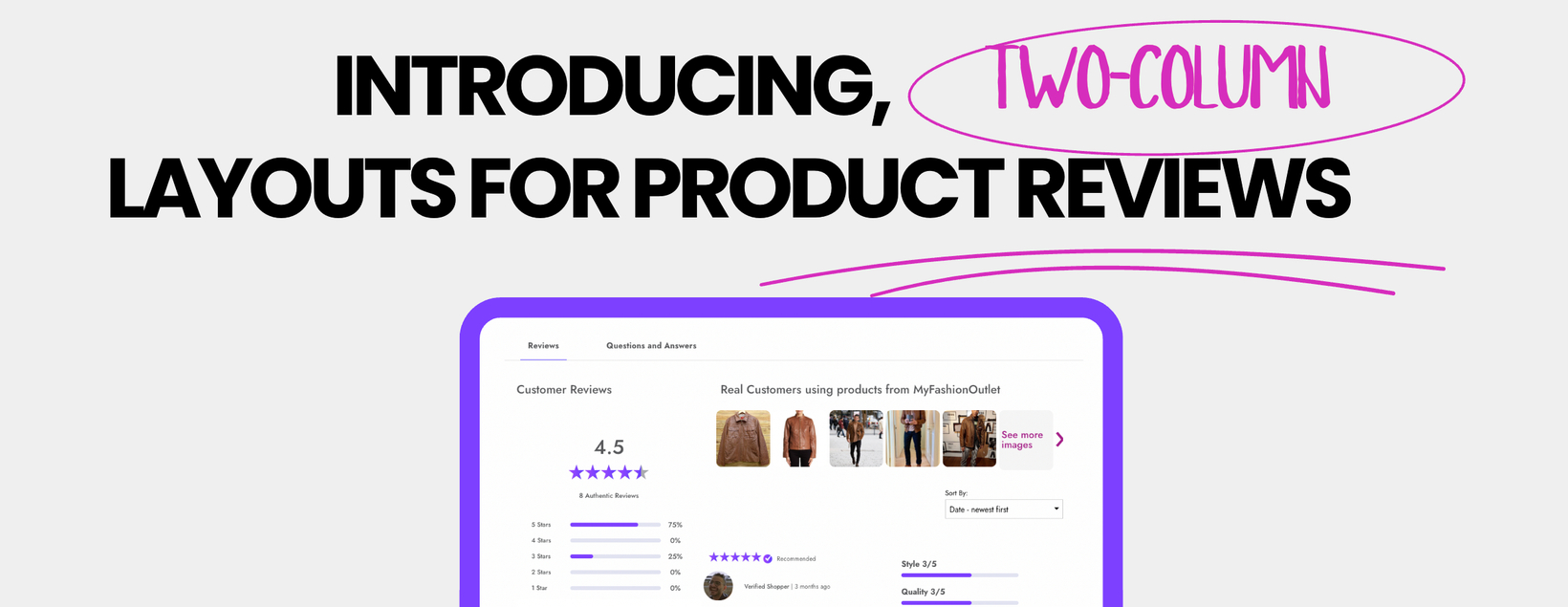
Introducing the Two-Column Product Review Layout
Merchants can now choose between two different layouts for displaying product reviews:
1. Classic One-Column Layout
Our original design that keeps the focus on individual reviews in a streamlined, vertically stacked format.

2. New Two-Column Layout
A modern, information-rich experience that allows shoppers to see more insights, ratings, and content at a glance.

The new layout organizes key review signals alongside customer feedback, creating a faster and more engaging browsing experience.
What else is different
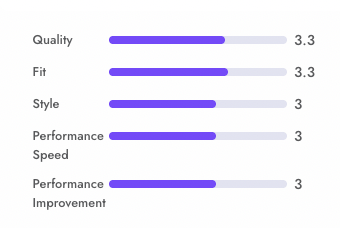
Product attribute aggregate data is changed to a new format to fit nicer into the two-column setup. We go from CIRCLES to BARS. When you go back to one-column, it defaults to the circles.

How to Enable the New Layout
The two-column review layout is available now in your ShopperStream settings > Dashboard > Product Widget Display Settings > Choose Layout.

You can switch between layouts anytime to find the experience that works best for your store.
If you’d like help configuring your review experience, our team is happy to assist.
Why Layout Customization Matters
Every eCommerce store is different. The way reviews appear on your site can directly influence. By allowing merchants to choose their preferred layout, you gain more control over how social proof appears across your product pages.
Some brands prefer a minimal, clean review stream, while others want to highlight detailed rating breakdowns, product attributes, and customer media.
Now you can choose the format that aligns best with your brand and customer journey.
What the Two-Column Layout Enables
The new layout surfaces more of the signals shoppers rely on when making purchase decisions.
Key elements include:
Rich Rating Insights
Category rating breakdowns (quality, fit, style, etc.)
Visual score indicators
Faster comparison between products
Customer Media
Shopper photos and videos
Real-world product usage
Review Highlights
Verified shopper badges
Recommendation indicators
Attribute ratings
Visual Review Browsing
Image galleries from real customers
“See more images” browsing experience
These features help transform your reviews into a visual discovery experience instead of just a list of comments.
More Control for Merchants
This update is part of a larger push at Shopperstream to give merchants more control over their review experience. With ShopperStream, merchants can now:
 Choose their preferred review layout
Highlight review attributes and insights
Showcase customer photos and videos
Customize how social proof appears across product pages
Reviews are no longer static widgets — they’re conversion tools.